Leave your intentions before you head out.
Before you set off, record where you're going, who's with you, when you'll be back and where you parked. Share it with someone you trust, and TrailTreks reminds you to check in at your expected return time.
- Works with no signal
- Check-in reminder
- No account needed
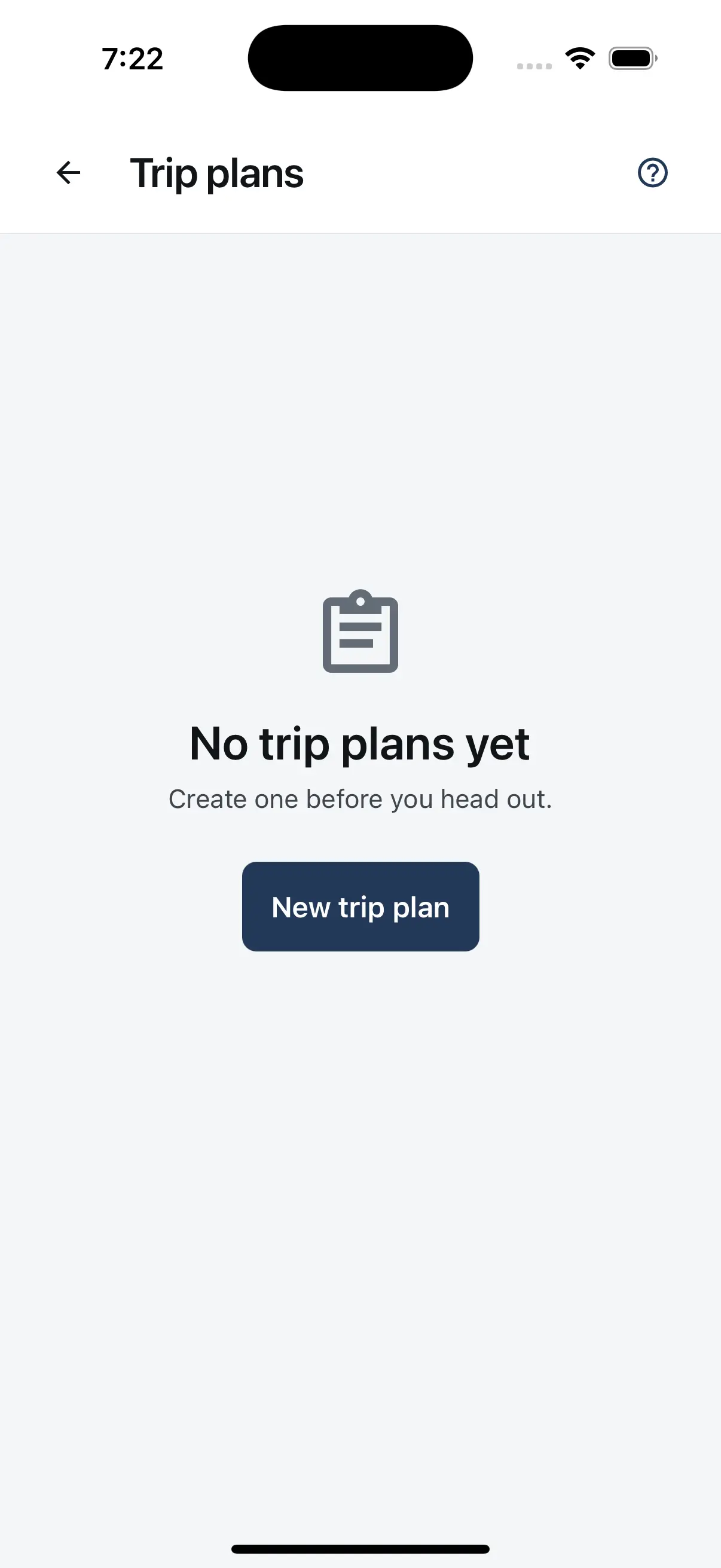
A trip plan doesn't contact anyone on its own. If you don't return, the person holding your plan needs to raise the alarm by calling 111 and asking for Police. Carry a distress beacon (PLB) too.
How it works: Plan your trip in under a minute.
From the car park to getting home safely — here's the whole flow, step by step.
Fill in your plan
Open Trip plans from the menu and tap New trip plan. Type your destination or pick a saved track, then add your party, when you are departing and when you expect to be back. Vehicle details, where you parked and notes are optional.
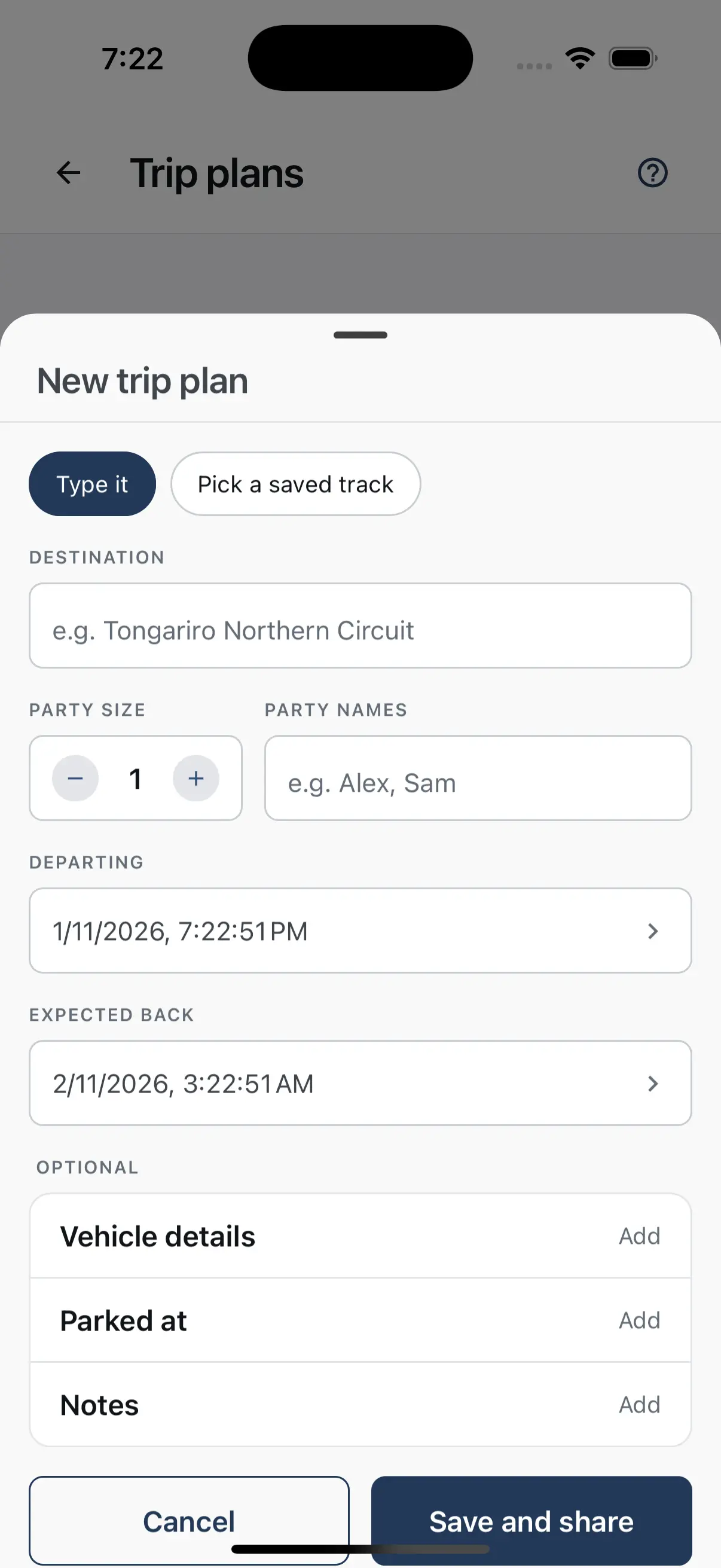
Share it with someone you trust
Tap Save and share and your phone’s share sheet opens with the plan as a plain text message: destination, party, times, vehicle and notes, plus a line telling them to contact Police 111 or LandSAR if you are not back. Send it by text, email or any messaging app.
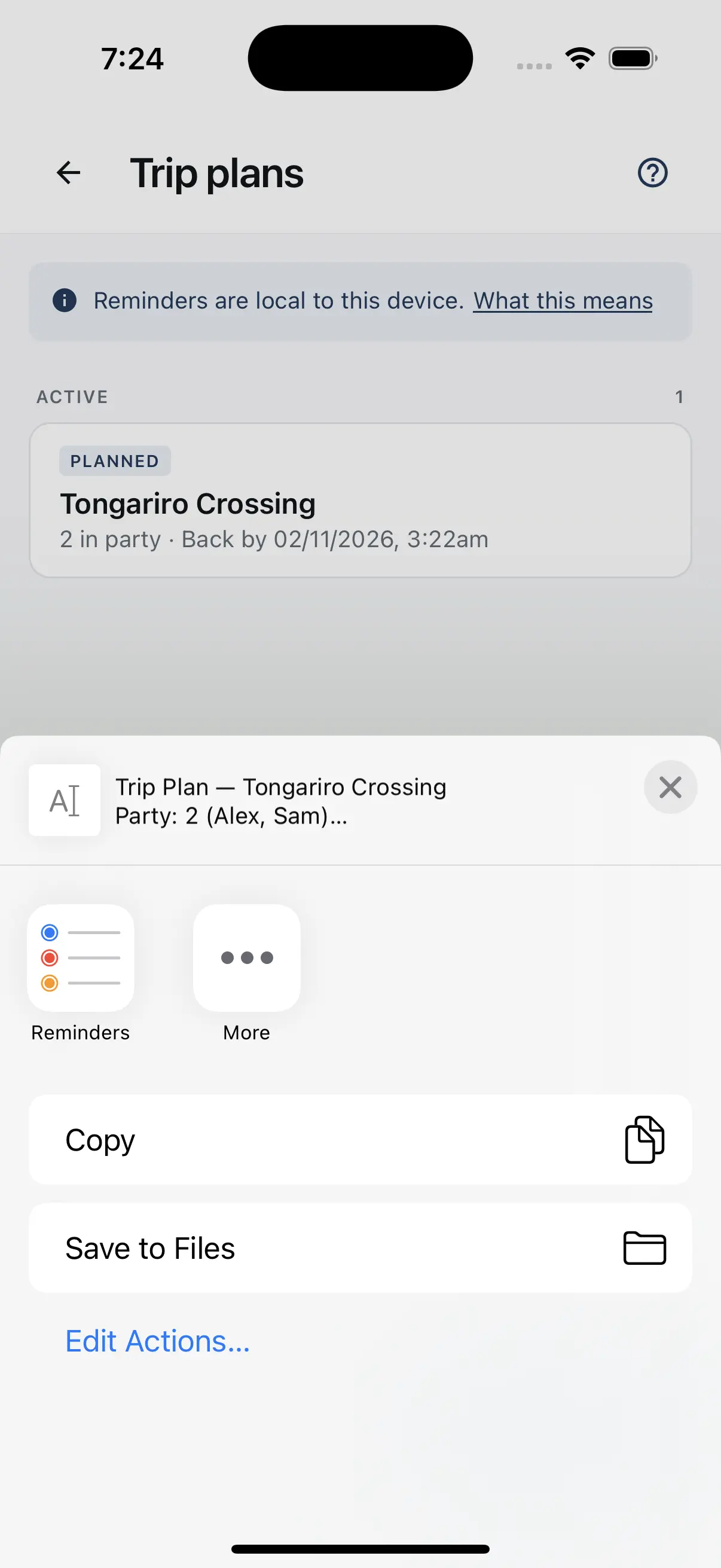
Your plans in one place
Every plan is listed with its party size and expected return time. Once the return time passes, a plan shows as Overdue and moves to the top, and plans you mark as returned move to Completed.
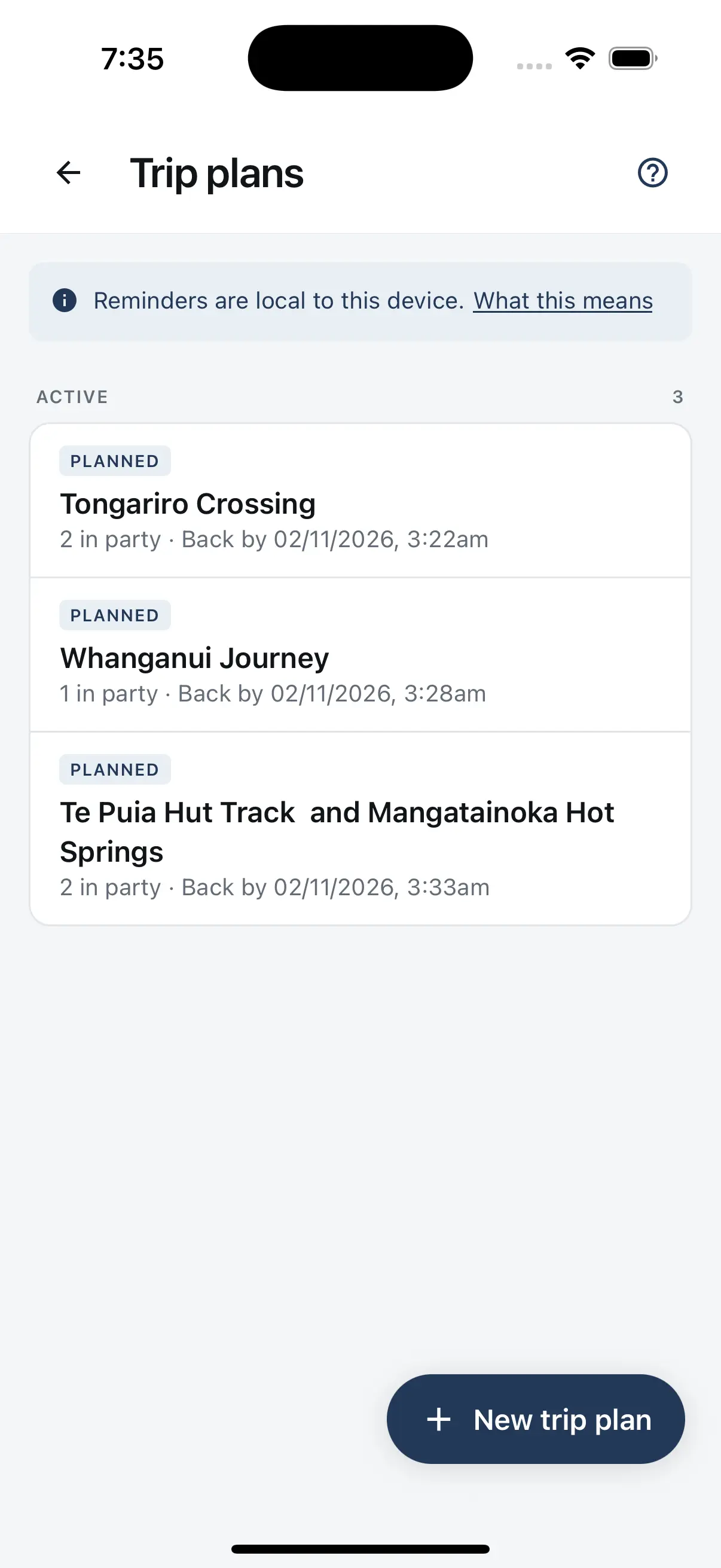
Check in when you are back
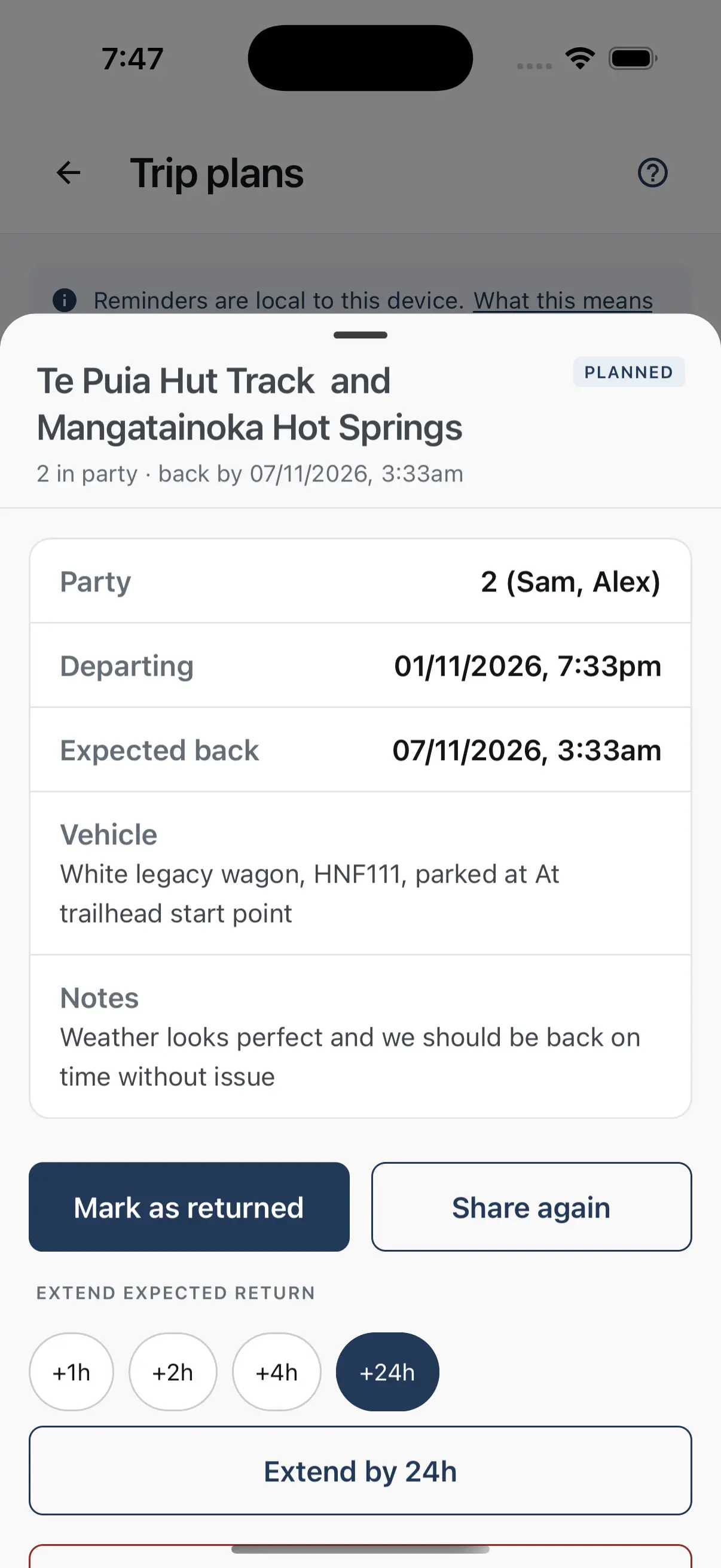
At your expected return time, TrailTreks reminds you to check in. Tap Mark as returned once you are out. Running late? Extend your expected return by 1, 2, 4 or 24 hours, which moves the reminder, then use Share again so your contact has the new time.
Good to know: What Trip Plans do — and don’t do.
A quick way to leave your intentions the way DOC and AdventureSmart recommend, with a few things worth knowing.
Works with no signal
Creating, editing, sharing and reminders all work without an internet connection, so you can plan in a car park with no coverage.
Stays on your phone
Your plan is saved on your phone and never uploaded to TrailTreks. Your phone’s own backup, such as iCloud or Google, may include it.
No account needed
Trip Plans are free and work without signing in.
A reminder at your return time
A notification asks if you got back safely. If notifications are off, the app tells you, and the plan is still saved and can still be shared.
It won't raise the alarm
The reminder is only on your phone. Nobody is told if you are overdue, so always share your plan with a real person.
Questions: Questions about Trip Plans.
What is a trip plan?
A record of your intentions: where you are going, who is with you, when you are leaving and expect to be back, your vehicle and where it is parked. DOC and AdventureSmart recommend leaving these details with someone you trust before every trip.
Will TrailTreks alert anyone if I am overdue?
No. Trip Plans never contact anyone. The plan shows as Overdue on your phone and you get a check-in reminder, but only the person you shared it with can raise the alarm, by calling 111 and asking for Police.
Who can see my trip plan?
Only the people you send it to. The plan is saved on your phone and is never uploaded to TrailTreks. Your phone’s own backup, such as iCloud or Google, may include it.
Does it need an internet connection?
No. You can create, edit and extend a plan, and get the reminder, with no connection. Sending the message to your contact needs whatever connection that app uses, such as SMS or mobile data.
What if I am running late?
Open the plan and extend your expected return by 1, 2, 4 or 24 hours. The reminder moves to the new time. Your contact is not told automatically, so tap Share again to send them the new time.
Can I plan a Te Araroa section?
Yes. Tap Plan this section on a Te Araroa section to start a trip plan with the section name and an expected return time already filled in. Check the times before you save.
Do I need an account?
No. Trip Plans are free and work without signing in.
Download once.
Hike offline.
Free to download, no account needed to explore. Grab TrailTreks: NZ Topo Maps before your next trip into the New Zealand backcountry.

Scan & Go
Open your camera and point it at the code to install.