Walk Te Araroa, section by section.
Follow New Zealand's long trail from Cape Reinga to Bluff, or the other way. See every official section on a topo map, tick them off as you walk, and check what's next, the weather and DOC alerts for the sections ahead.
- Free, not part of PLUS
- Works offline
- Either direction
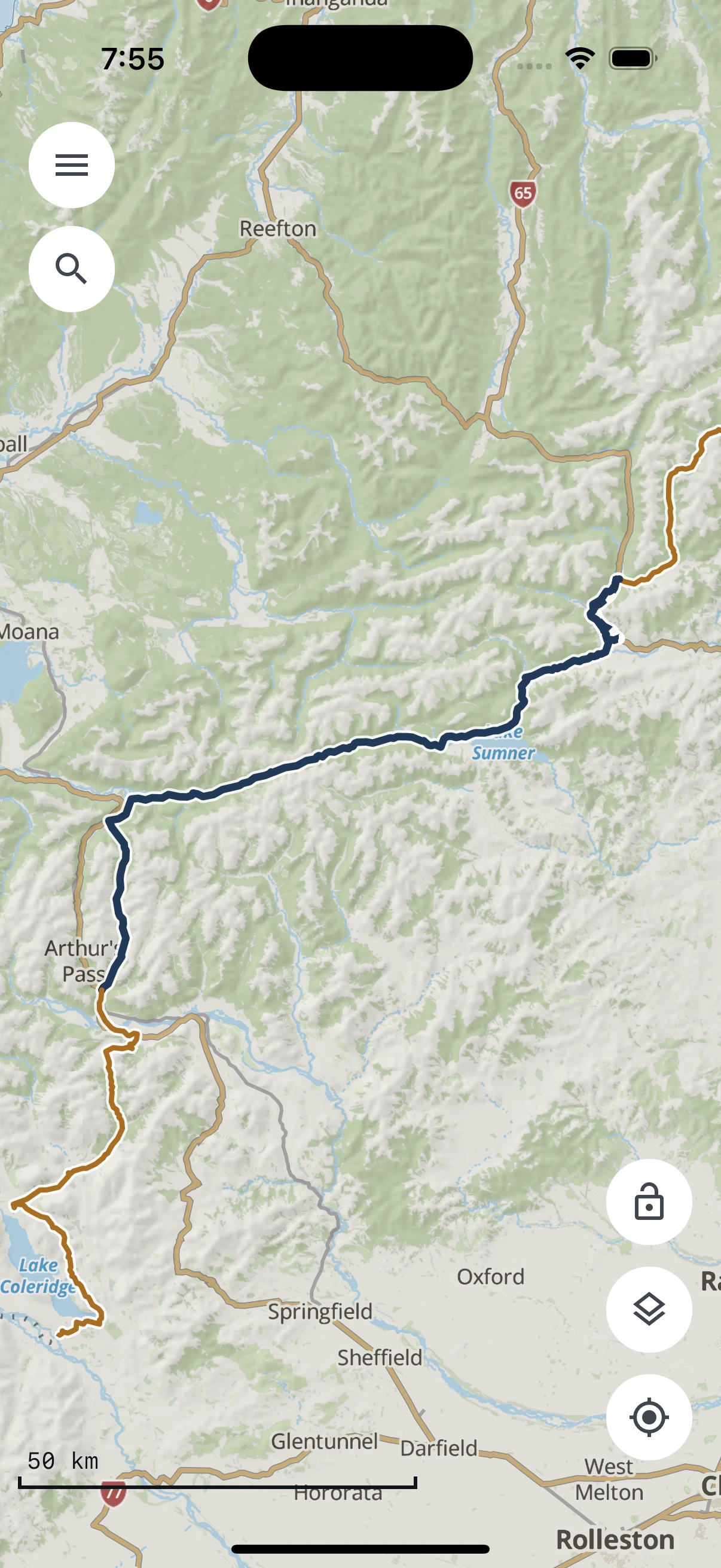
Not a safety tool. Carry a PLB and check the official trail notes and alerts. TrailTreks is not affiliated with the Te Araroa Trust.
How it works: From Cape Reinga to Bluff, one screen at a time.
From loading the trail to walking a section — here's how Te Araroa works in the app.
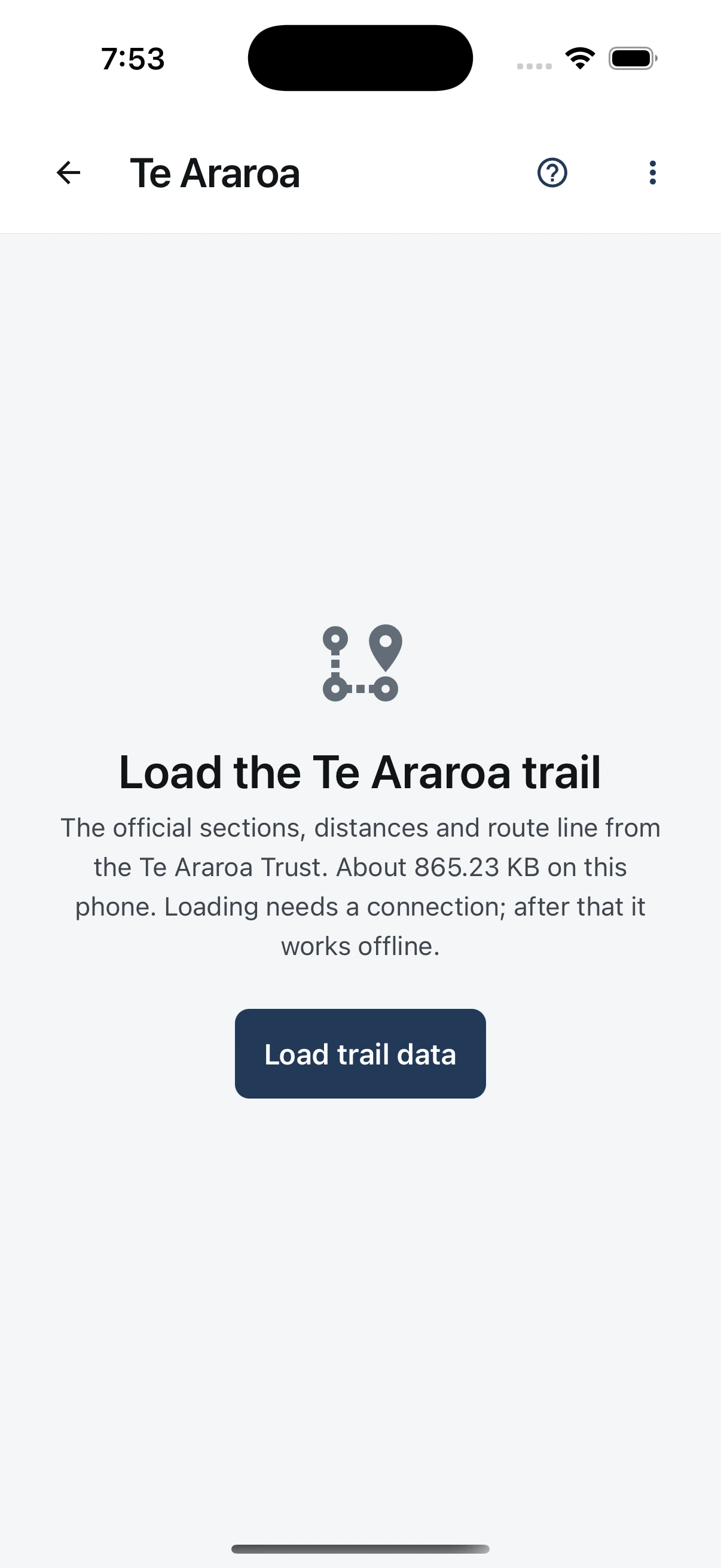
Load the trail
Open Te Araroa from the menu and tap Load trail data. The Te Araroa Trust's official sections, distances and route line download once, as a small file, and then work offline.
Your whole journey on one screen
Choose north to south or south to north, and the screen follows your direction from top to bottom:
- Progress: percentage, km and sections completed, with stats and a projected finish
- What's next: the next section, the next DOC hut and campsite near the trail, and DOC alerts ahead
- Weather ahead: the next 24 hours at the end of each of the next three sections
- Regions: every region in walking order, North Island then South Island

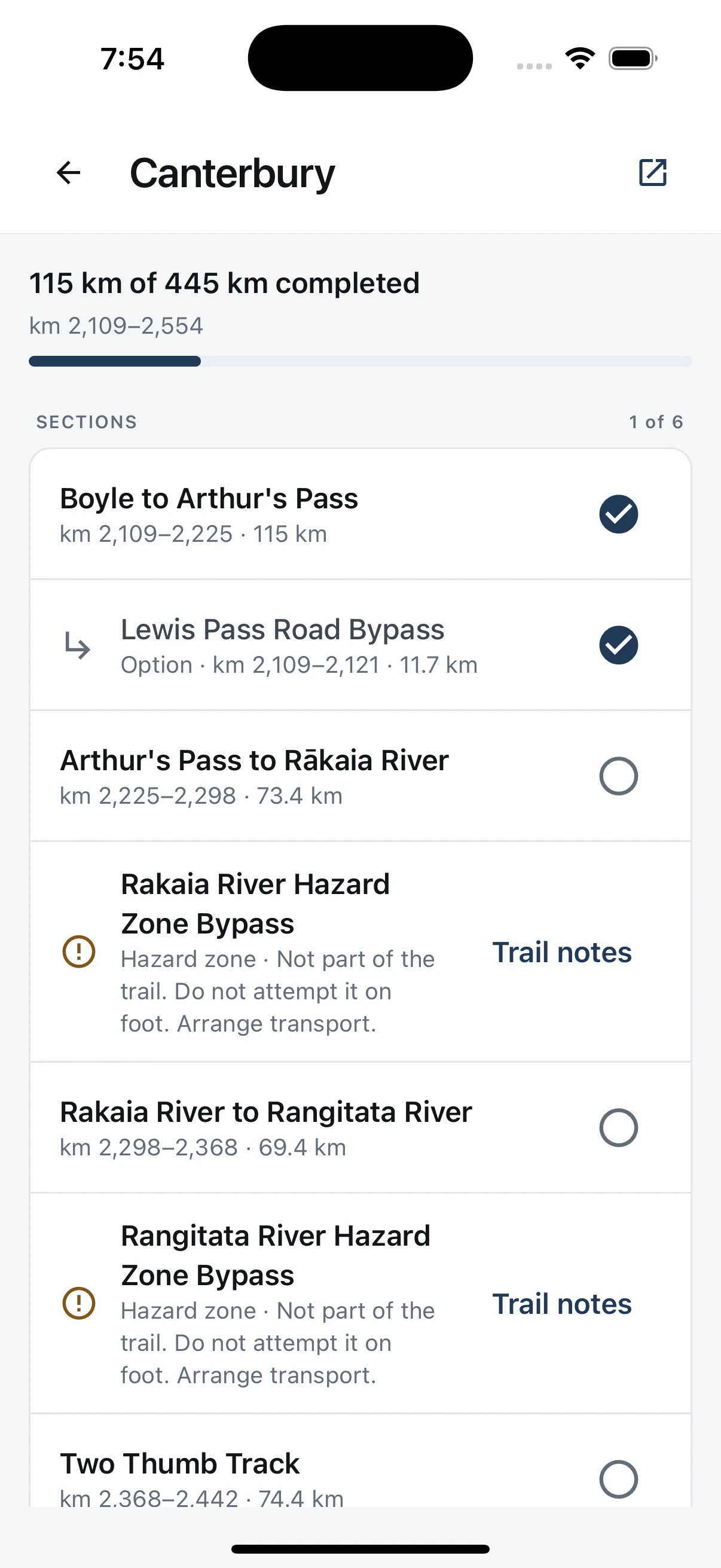
Tick off sections in each region
Open a region to see its sections in walking order and tick each one off when you finish it. Options and bypasses sit under their section. Hazard zones carry a link to the Trust's trail notes: they are not part of the trail, so arrange transport.
The details of each section
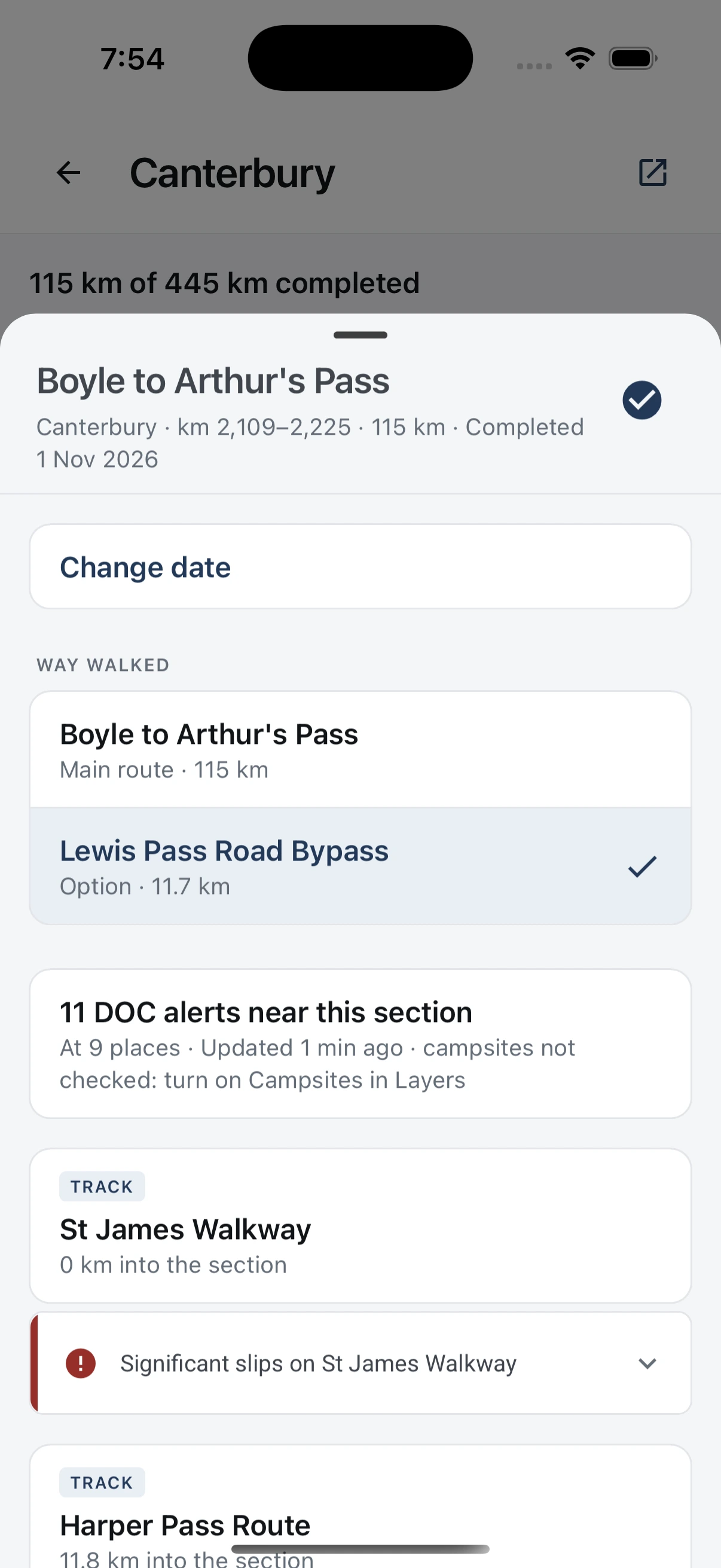
Tap a section for its km markers, length and the date you completed it, which you can change. When a section has options, record which way you walked. DOC tracks along the section and their alerts are listed too.
Walk it, plan it, take it offline
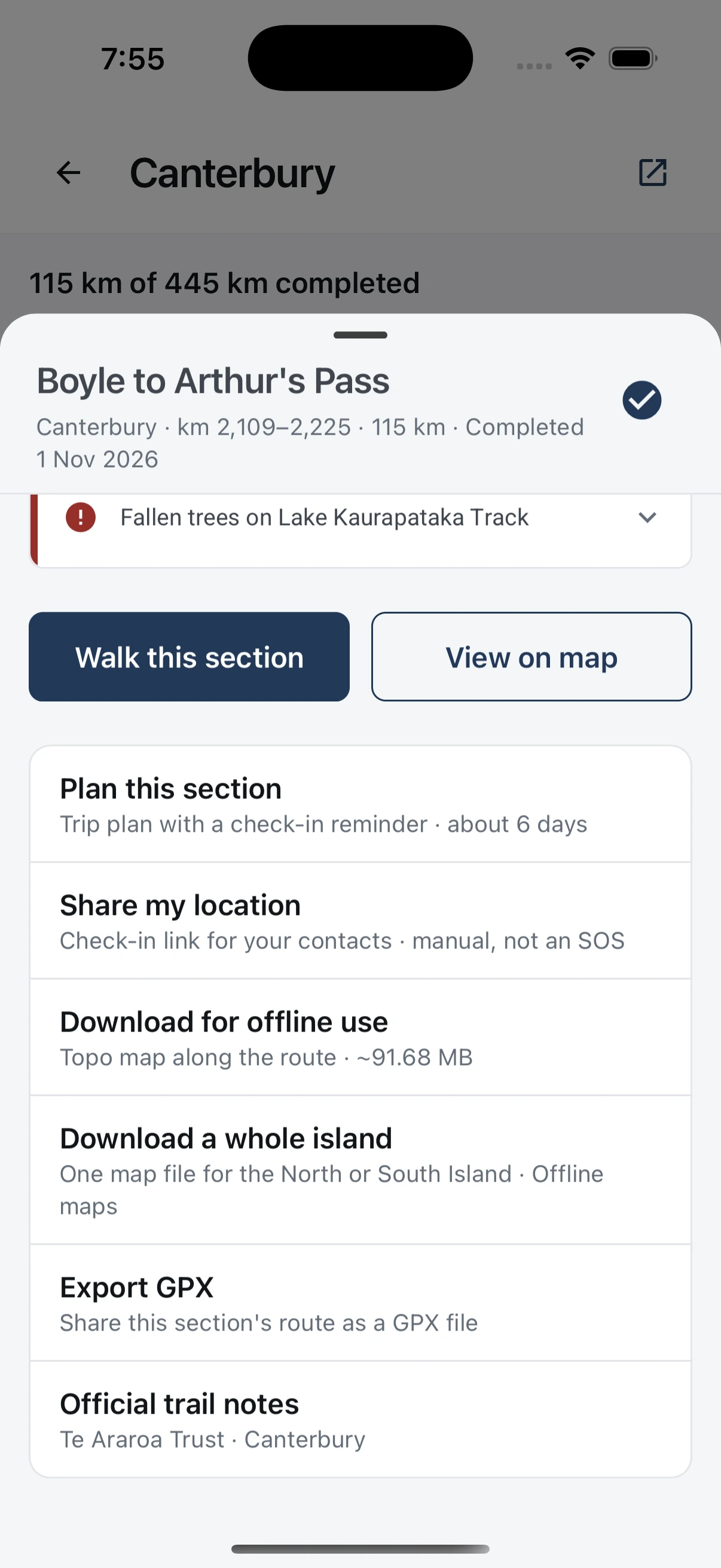
Walk this section shows the km left to its end, or how far off the route you are, on the map. From the same sheet you can plan the section as a trip plan, share your location with a check-in link, download its topo map for offline use, export it as GPX or open the official trail notes.
Good to know: What Te Araroa in TrailTreks is — and isn’t.
A companion for walking the trail, with a few things worth knowing before you set off.
Free for everyone
Te Araroa is free in TrailTreks and is not part of PLUS.
Works offline
Once the trail is loaded, sections, progress and the route line work with no signal. Download each section's topo map before you go. Weather and DOC alerts need a connection to update.
Your progress stays on your phone
Which sections you have completed, the date and the option you walked are stored only on your phone. They are not uploaded, synced or shared.
You mark sections completed
Nothing is ticked off automatically. When you reach a section's end, or save a recording that covers one, the app can suggest it. Your location is checked on your phone, and you decide.
Official trail data
Sections, distances and the route line come from the Te Araroa Trust. Check the Trust's trail notes and alerts for closures and reroutes before each section.
Not a safety tool
Carry a PLB. Hazard zones, such as the Rakaia and Rangitata rivers, are not part of the trail: arrange transport around them.
Te Araroa trail data © Te Araroa Trust, CC BY 4.0, teararoa.org.nz
Questions: Questions about Te Araroa in TrailTreks.
Is the Te Araroa feature free?
Yes. Te Araroa is free for everyone and is not part of PLUS.
Does it work without signal?
Yes, once the trail data is on your phone. Loading it needs a connection once, and so do the weather and DOC alerts. Download each section's topo map before you go.
Can I walk south to north?
Yes. Switch between north to south and south to north at any time, and what's next, the weather ahead and the distances follow your direction.
Does TrailTreks tick off sections automatically?
No. You mark a section completed yourself. The app can suggest it when you reach a section's end or save a recording that covers it, checking your location on your phone only.
Is my progress uploaded or shared?
No. Your progress is stored only on your phone. You can share a short text summary of it yourself from the Te Araroa screen's menu.
Can I use a section in another app?
Yes. Export any section as a GPX file from its sheet, and open it in another app or device.
Is TrailTreks the official Te Araroa app?
No. TrailTreks is not affiliated with the Te Araroa Trust, and the trail data is the Trust's, used under CC BY 4.0. Check the Trust's official trail notes and alerts before each section.
Download once.
Hike offline.
Free to download, no account needed to explore. Grab TrailTreks: NZ Topo Maps before your next trip into the New Zealand backcountry.

Scan & Go
Open your camera and point it at the code to install.